

How-to
Create and Manage Projects:
Export Projects
Previously: How-to Share Project.
This section guides users how to export projects.
DataYeet has a built-in export functionality. Users can export projects or individual tiles.
Export formats are different for projects and individual tiles. The table below summarises available options:
| Export To | Availability |
|---|---|
| Printer | no |
| no | |
| PNG | YES |
| JPEG | YES |
| SVG | YES |
| GIF | no |
Conditional on user's browser compatibility, if it is not supported - export will fall back to PNG format.
The user can export a project by clicking on Export. The Export button is available only when the project is in view mode.
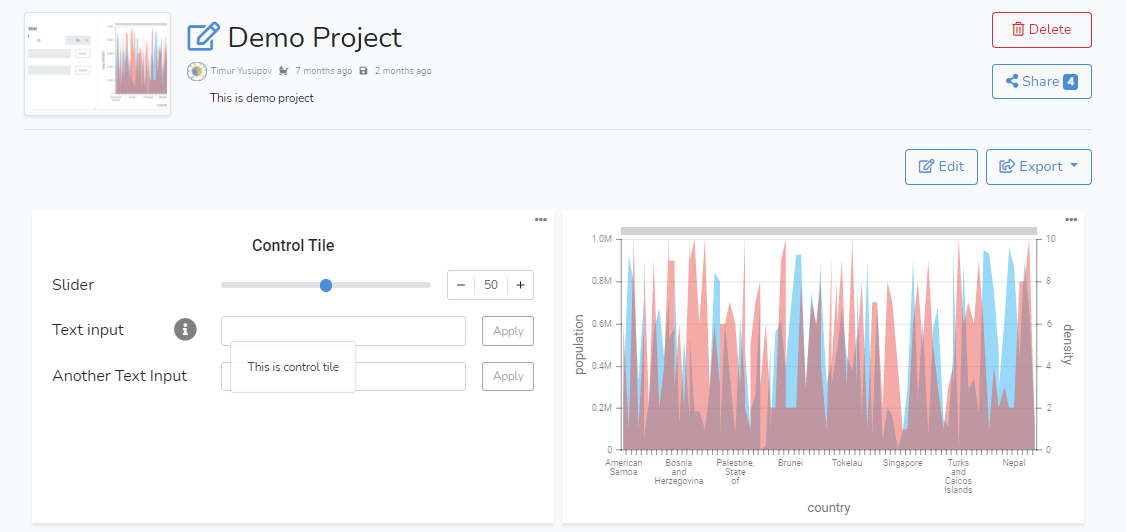
Clicking on the Export button opens a drop-down menu as shown below. 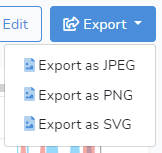
The user can then choose to export the project in JPEG, PNG, or SVG formats. When the choice is selected, the browser will prompt to save the image file.
Next: How-to Delete Project.