

How-to
Delete an Account
Previously: How to Edit an Account.
This section helps with deleting an account.
The account owner can delete the account, first, by clicking on the user profile icon in the top navigation bar, and then, by clicking on Delete in the dropdown menu.
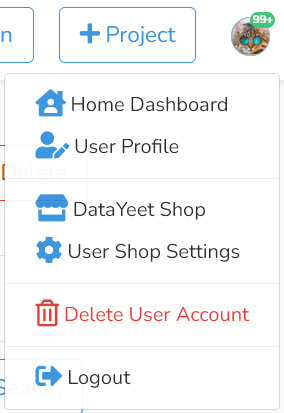
This step will bring up the window as shown below.
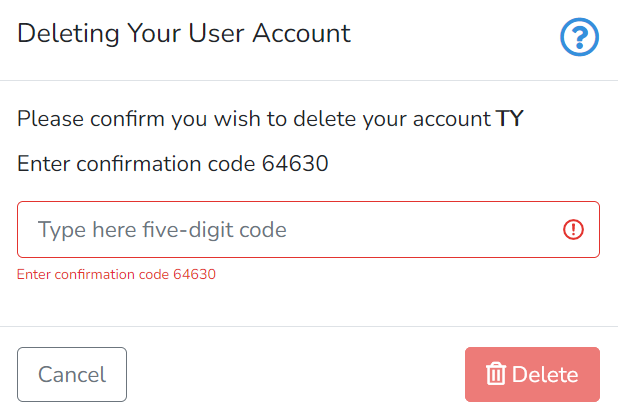
To confirm the decision to delete the account, the owner must enter a five-digit confirmation code to the text box and click on Delete.
The action is not reversible.
Next is 3 for Free.