

How-to
Manage Users and Groups:
Manage Group Members
Previously: How to Invite Members to User Groups.
This section helps with managing group members.
The group members can be listed and viewed by clicking on Group Members. The tab also provides information about the group member count.
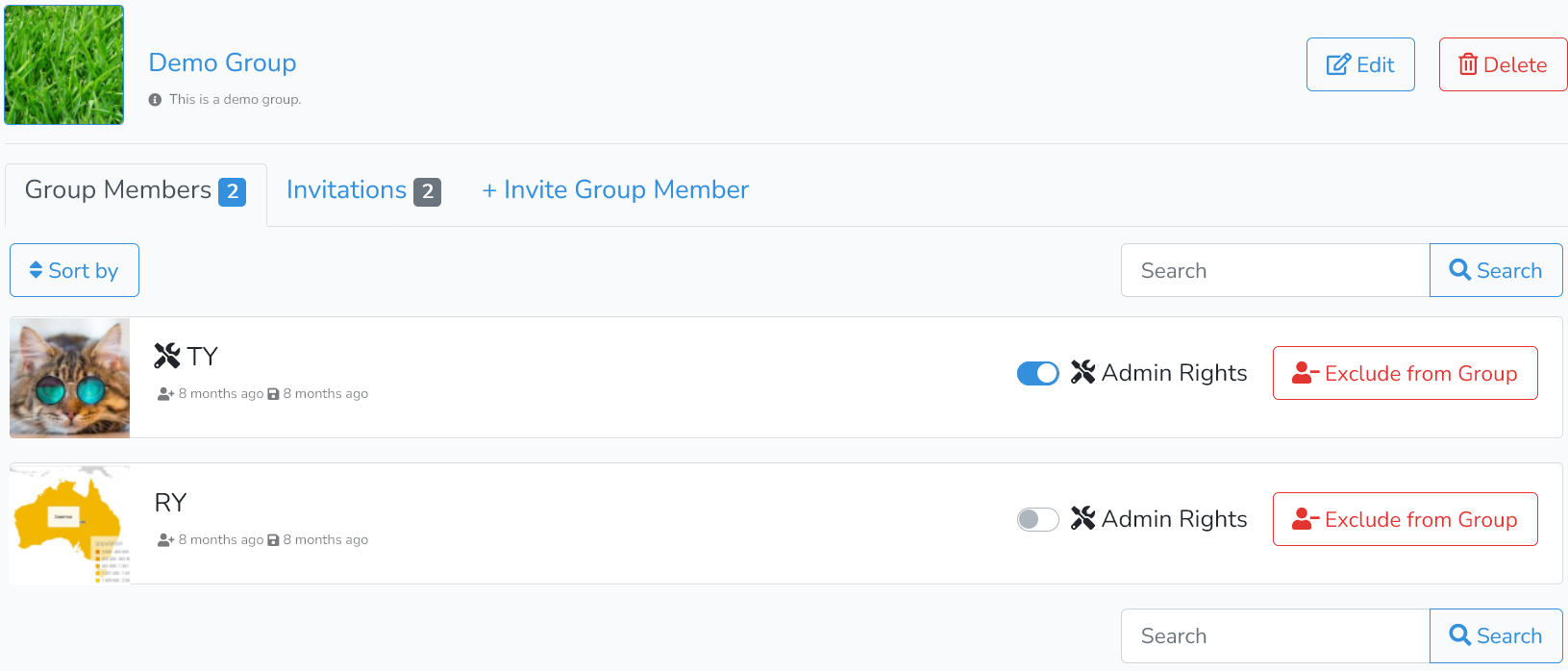
Here, the user can sort the list by clicking on Sort By.
The user can also search individual group members using search boxes on the right side of the dialog window.
For group admins, there are additional actions visible in each user row. Admins can grant admin status or exclude users from the Group.
All changes are instantaneous, no savings of changes are required.
Next is How to Delete User Groups.